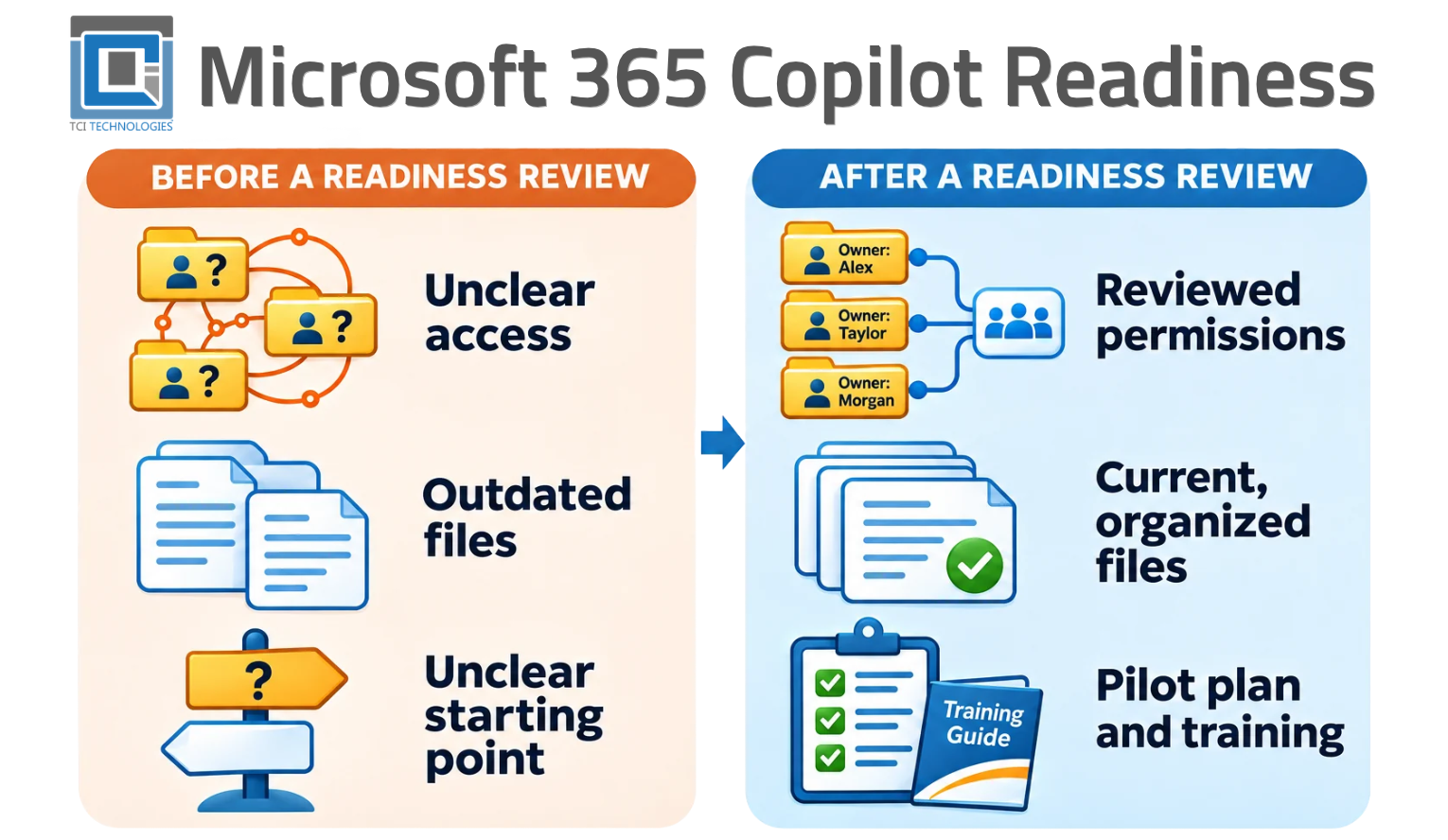
Microsoft 365 Copilot can save your team hours every week, drafting emails, recapping meetings, summarizing documents and finding information across Microsoft 365. Turning it on is easy. Turning it on safely takes some preparation.
Here’s what Microsoft 365 Copilot readiness means, what to check before rollout, and how Long Island and NYC businesses can get it right the first time.
Why Copilot Readiness Matters
Copilot Sees What Users Can See
Copilot works within each person’s existing access. If a salary spreadsheet or HR folder is shared too widely, Copilot can summarize it for anyone who has access, even if they never knew it was there.
Old Sharing Links Add Up
Years of “anyone with the link” shares, forgotten guest accounts and overly broad team sites are common, and Copilot makes all of it much easier to find.
Licenses Are an Investment
Microsoft 365 Copilot is a paid add-on for each user, so it pays to start with the people and roles who will get the most value from it.
Results Depend on Adoption
Without training and clear guidelines, many people try Copilot once and give up. A planned rollout turns curiosity into real time savings.
| ⚠️ Turned on without preparation | ✅ Rolled out after a readiness review | |
|---|---|---|
| Sensitive files | HR, salary and financial files surface for anyone with access | Permissions tightened so sensitive data stays with the right people |
| Sharing links | Years of “anyone with the link” shares become easy to find | Old links and unused guest access cleaned up |
| Licensing | Licenses bought for everyone, many unused | Licenses start with the roles that benefit most |
| Adoption | People try it once and give up | Training and guidelines turn curiosity into real time savings |
| Governance | No rules about what goes into prompts | A simple AI usage policy everyone understands |
The Microsoft 365 Copilot Readiness Checklist
Before rolling Copilot out broadly, review these areas:
| Area | What to check | Why it matters |
|---|---|---|
| SharePoint | Site permissions and broadly shared libraries | Copilot can summarize anything a user can open |
| OneDrive | “Anyone with the link” and external shares | Forgotten links expose files to the wrong people |
| Microsoft Teams | Team membership and guest users | Guests may see more than intended |
| Microsoft Entra ID | Accounts, MFA and inactive users | Copilot is only as secure as each sign-in |
| Licensing | Current plans and Copilot eligibility | Avoid paying for licenses nobody uses |
| Sensitive data | Where HR, financial and client data lives | Lock down the files that matter most first |
| Policies | AI acceptable use and data handling rules | Employees need to know what’s off-limits |
A Practical Four-Step Path to Copilot
1. Review Access & Sharing
Review who can access what across SharePoint, OneDrive and Teams, and identify overshared files, old sharing links and unused guest accounts.
2. Clean Up & Tighten
Fix permissions, remove outdated access and tidy up sites, so sensitive information stays with the right people before Copilot goes live.
3. License & Pilot
Decide who gets Copilot first, handle the licensing, and start with a small pilot group to prove the value before a wider rollout.
4. Train & Set Guidelines
Provide hands-on training plus a simple AI usage policy, so your team knows how to get good results and what information to keep out of prompts. After rollout, ongoing AI governance keeps users, licenses, security settings and policies on track.
Common Questions About Copilot Readiness
Do we really need to prepare before turning on Copilot?
We strongly recommend it. Copilot doesn’t change who can see what, but it makes anything people can already access far easier to find. Cleaning up first is the simplest way to avoid surprises.
How long does getting ready take?
It depends on how many users, sites and files you have, and how much tidying is needed. An initial review produces a clear plan and timeline before any work begins.
Which Microsoft 365 plans work with Copilot?
Microsoft 365 Copilot is available as an add-on for most Microsoft 365 business and enterprise plans. Licensing changes often, so check your current plans before buying.
Is our company data used to train Microsoft’s AI?
Microsoft states that your prompts and business data in Microsoft 365 Copilot aren’t used to train its underlying AI models, and that Copilot respects your existing security and compliance settings.
See It in Action
Read how a law firm rolled out Copilot safely: How a 50-Person Law Firm Put Microsoft 365 Copilot to Work, Safely.
Is Your Organization Ready for Copilot?
Find out in minutes with our free Microsoft 365 & AI Readiness Assessment. Ready to move forward? See how TCI helps with Microsoft 365 Copilot consulting, readiness, deployment and training, or call us at (516) 484-5151.